> ## Documentation Index
> Fetch the complete documentation index at: https://docs.memorylake.ai/llms.txt
> Use this file to discover all available pages before exploring further.
# Create API Key
> Learn how to create an API key to start using Model Router
## What is an API Key?
An API Key is your authentication credential for accessing Model Router. It's like a password that allows you to make requests to the API. Each API key is associated with a specific group that controls which models you can access and how much quota you have.
## How to Create an API Key
### Step 1: Navigate to API Key Management
1. Log in to the [Memorylake Console](https://app.memorylake.ai)
2. Click on "API Keys" or navigate to the [API Keys management page](https://app.memorylake.ai/panel/token)
### Step 2: Create a New API Key
1. Click the "Create API Key" button
2. Enter a name for your API key (this is just for your reference)
3. Configure the settings:
* **Name**: Choose any name you like (e.g., "My Project API Key")
* **Quota**: Set to unlimited if you want no restrictions, or set a specific limit
* **Group**: Select the API key group (this determines which models are available)
The API key name is only for your reference and can be changed later. The quota setting controls how much you can use before needing to recharge.
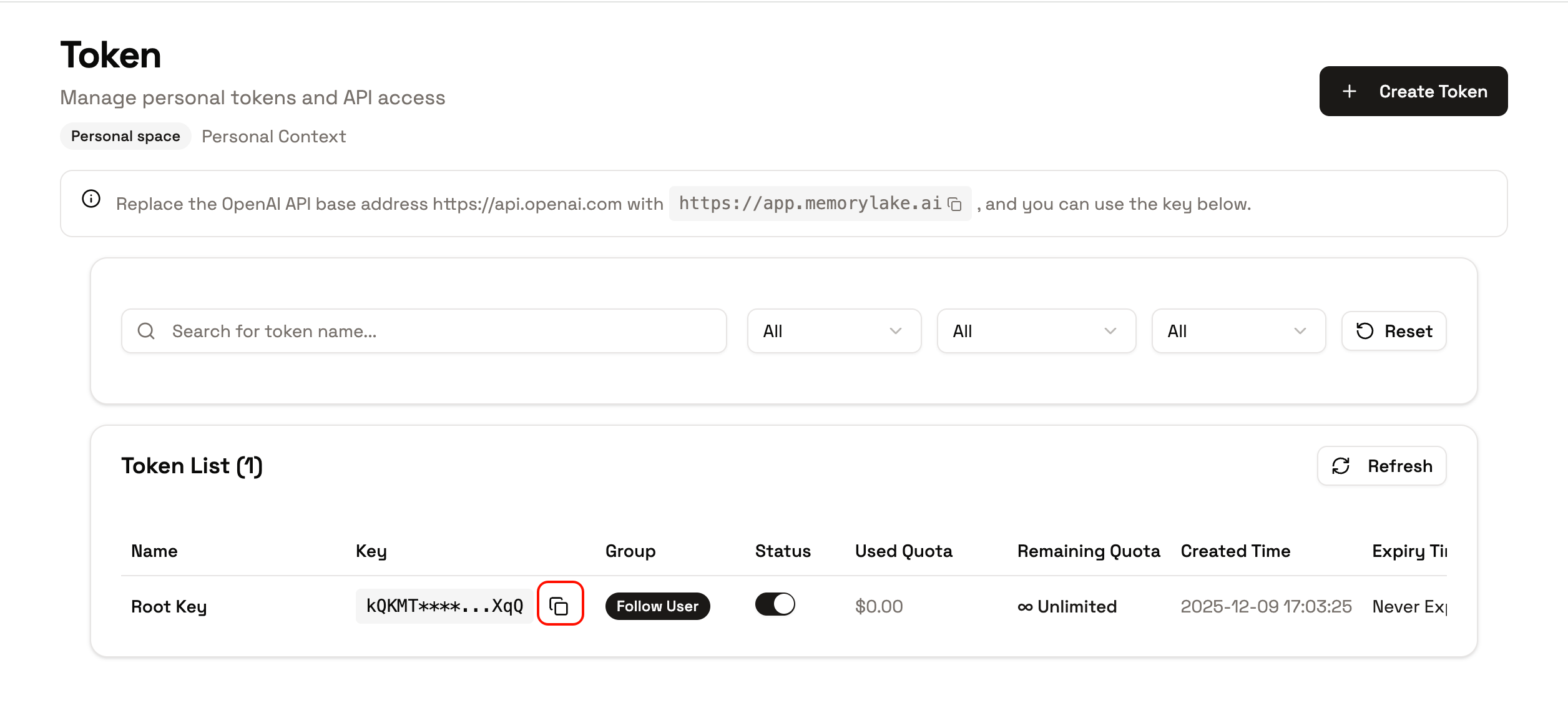 ### Step 3: Save Your API Key
After creating the API key, you'll see a key that starts with `sk-`. **Important**: Copy and save this key immediately, as you won't be able to see it again after closing the dialog.
Make sure to save your API key in a secure place. If you lose it, you'll need to create a new one. Never share your API key publicly or commit it to version control.
## What's Next?
Now that you have an API key, you can start using Model Router. Check out the following guides:
* **[How to Use API Key](/features/model-router/getting-started/use-api-key/overview)**: Learn different ways to use your API key
* **[List Available Models](/features/model-router/list-available-models)**: See which models you can access with your API key
## Related Documentation
* [Use API Key Overview](/features/model-router/getting-started/use-api-key/overview)
* [List Available Models](/features/model-router/list-available-models)
* [Limits and Prerequisites](/features/model-router/others/limits-and-prerequisites)
### Step 3: Save Your API Key
After creating the API key, you'll see a key that starts with `sk-`. **Important**: Copy and save this key immediately, as you won't be able to see it again after closing the dialog.
Make sure to save your API key in a secure place. If you lose it, you'll need to create a new one. Never share your API key publicly or commit it to version control.
## What's Next?
Now that you have an API key, you can start using Model Router. Check out the following guides:
* **[How to Use API Key](/features/model-router/getting-started/use-api-key/overview)**: Learn different ways to use your API key
* **[List Available Models](/features/model-router/list-available-models)**: See which models you can access with your API key
## Related Documentation
* [Use API Key Overview](/features/model-router/getting-started/use-api-key/overview)
* [List Available Models](/features/model-router/list-available-models)
* [Limits and Prerequisites](/features/model-router/others/limits-and-prerequisites)