> ## Documentation Index
> Fetch the complete documentation index at: https://docs.memorylake.ai/llms.txt
> Use this file to discover all available pages before exploring further.
# Analytics and Lifecycle
> View team and member usage trends, safely transfer ownership, or exit
## Use Cases
* View team-wide usage, member rankings, and trends to quickly identify abnormal consumption.
* Smoothly transfer ownership during handover, or allow members to exit voluntarily.
* Combine logs and statistics to verify quota allocation and API call health.
## What You Can See
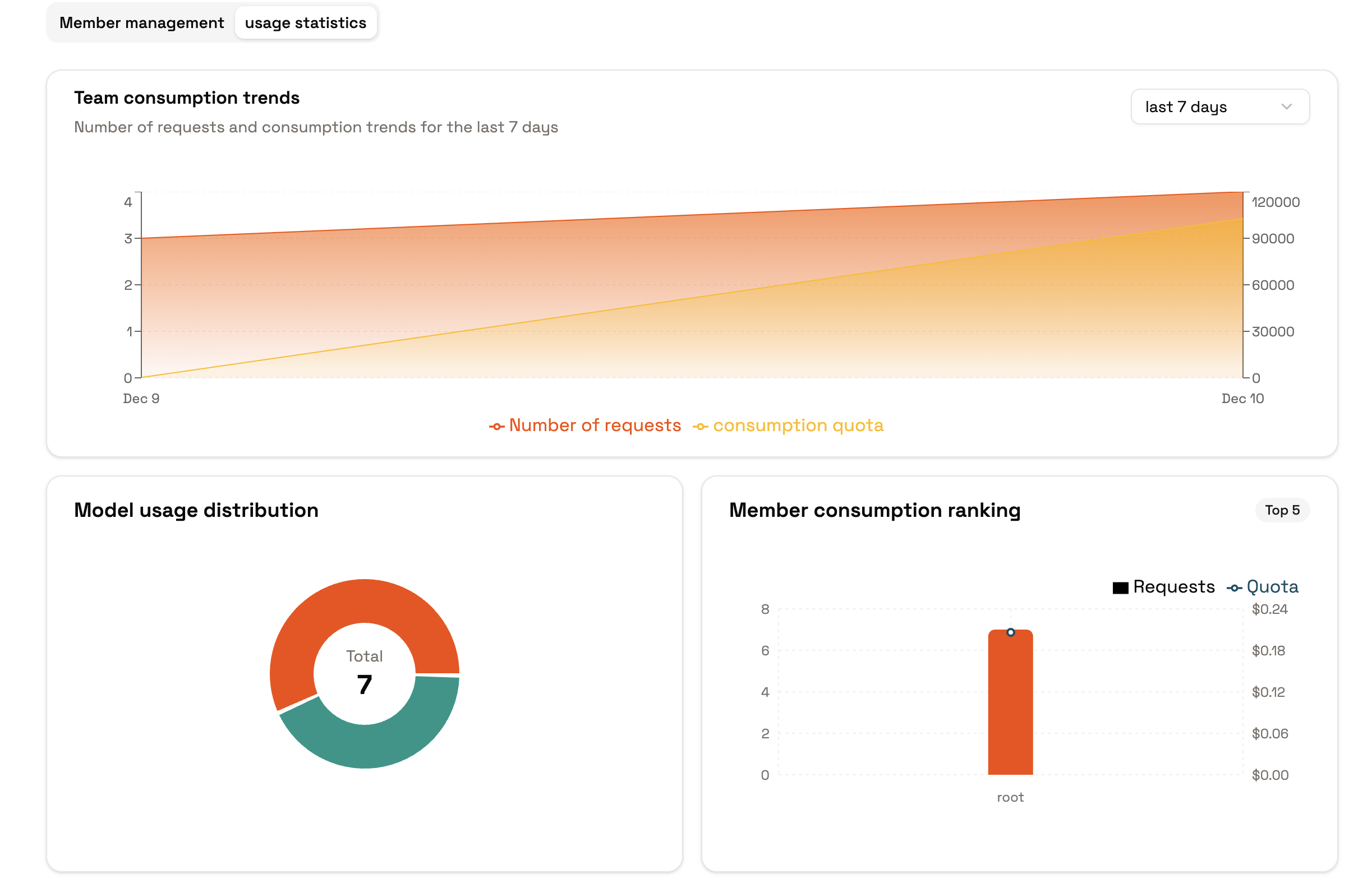
* **Team Statistics**: Aggregate usage, success rates, latency, and other metrics by time to identify abnormal periods or members.
* **Member Rankings**: Sort members by usage to identify high-consumption or abnormal members.
* **Personal View**: Members can view their own usage to confirm if they're approaching quota limits.
 ## Common Actions
* **View Team Overview**: Check overall usage and trends in "Usage/Statistics" with time range filters.
* **View Member Rankings**: Check member usage rankings in the same section to identify high-consumption members and review their quotas and roles.
* **Personal Check**: Members can view their own usage in the personal view to avoid hitting limits.
* **Log Review**: If anomalies are detected, use call logs to filter by model, token, latency, and other fields to identify the cause.
## Lifecycle and Handover
* **Transfer Ownership**: Transfer ownership to a specified member in team details. After completion, the original owner is automatically downgraded, and subsequent operations are handled by the new owner.
* **Member Exit**: Members can voluntarily exit the team. If their access is no longer needed, they can be removed directly.
* **Revoke Invitations**: Unaccepted invitations can be revoked at any time. If sent by mistake, send a new invitation.
## Tips
* When abnormal usage is detected, first tighten quotas or adjust roles, then investigate the source of calls.
* Statistics are based on actual call accumulation. Empty statistics initially are normal; trends will appear after sustained usage.
* Before transferring ownership, confirm that the recipient is already in the team and has an appropriate role to avoid handover failures.
* Confirm the context before making calls to ensure statistics and quotas are applied to the correct team or personal space.
## Next Steps
* If you need to combine quota allocation or invitation strategies, refer to the "Quotas and Usage", "Invitations and Access", and "Roles and Permissions" sections.
* Before migrating to production, use test tokens to verify that statistics and logs cover key call scenarios.
## Common Actions
* **View Team Overview**: Check overall usage and trends in "Usage/Statistics" with time range filters.
* **View Member Rankings**: Check member usage rankings in the same section to identify high-consumption members and review their quotas and roles.
* **Personal Check**: Members can view their own usage in the personal view to avoid hitting limits.
* **Log Review**: If anomalies are detected, use call logs to filter by model, token, latency, and other fields to identify the cause.
## Lifecycle and Handover
* **Transfer Ownership**: Transfer ownership to a specified member in team details. After completion, the original owner is automatically downgraded, and subsequent operations are handled by the new owner.
* **Member Exit**: Members can voluntarily exit the team. If their access is no longer needed, they can be removed directly.
* **Revoke Invitations**: Unaccepted invitations can be revoked at any time. If sent by mistake, send a new invitation.
## Tips
* When abnormal usage is detected, first tighten quotas or adjust roles, then investigate the source of calls.
* Statistics are based on actual call accumulation. Empty statistics initially are normal; trends will appear after sustained usage.
* Before transferring ownership, confirm that the recipient is already in the team and has an appropriate role to avoid handover failures.
* Confirm the context before making calls to ensure statistics and quotas are applied to the correct team or personal space.
## Next Steps
* If you need to combine quota allocation or invitation strategies, refer to the "Quotas and Usage", "Invitations and Access", and "Roles and Permissions" sections.
* Before migrating to production, use test tokens to verify that statistics and logs cover key call scenarios.