> ## Documentation Index
> Fetch the complete documentation index at: https://docs.memorylake.ai/llms.txt
> Use this file to discover all available pages before exploring further.
# Overview
> Unified AI model routing platform compatible with mainstream protocols, supporting team collaboration
## Platform Overview
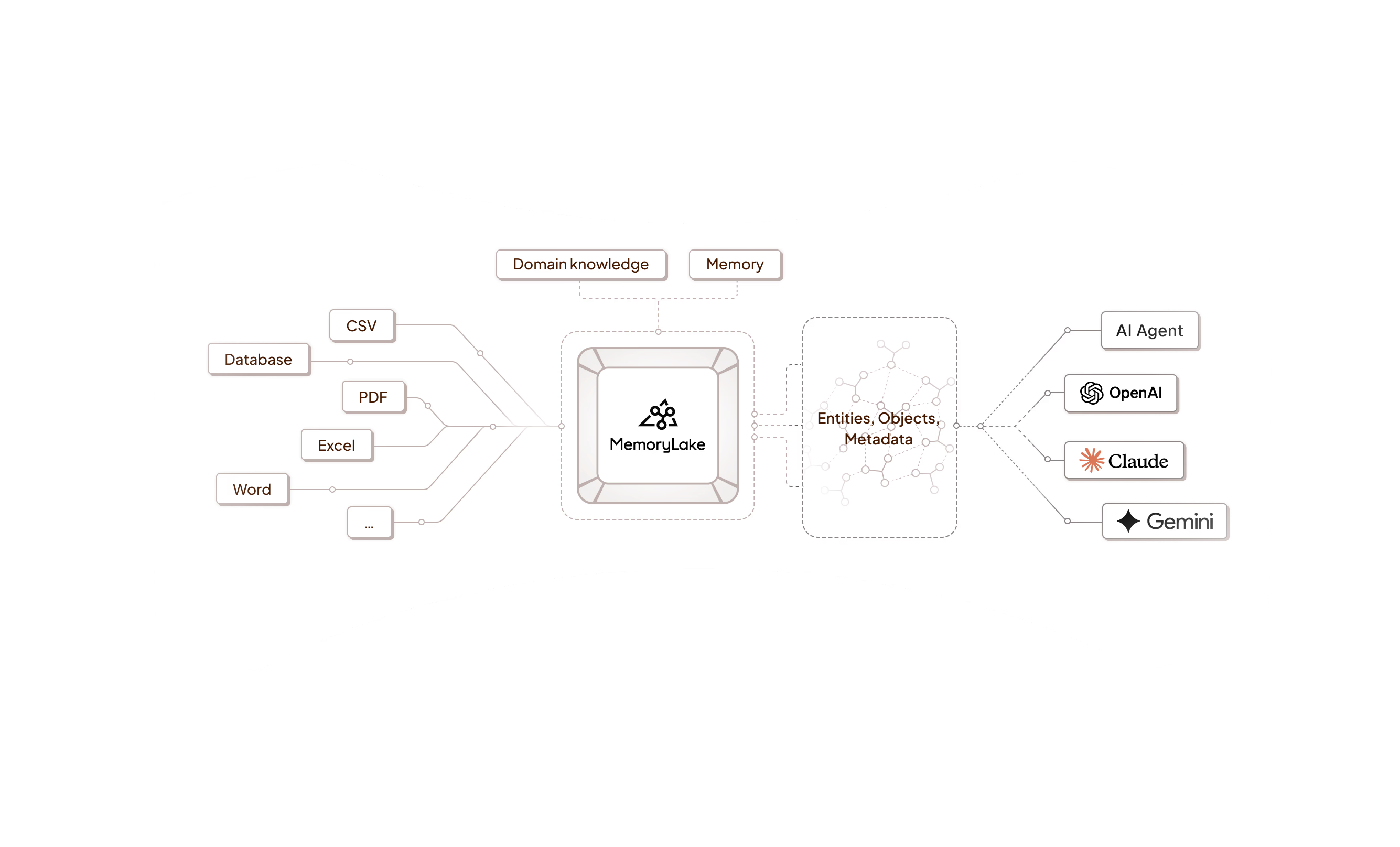
MemoryLake AI provides a unified model routing and multimodal task entry point, compatible with mainstream protocols and channels, helping you efficiently and securely integrate AI capabilities in production environments.
 ## Core Capabilities
* **Unified Entry Point**: Compatible with mainstream protocols like OpenAI, Claude, and Gemini, requiring no modifications to existing client code
* **Intelligent Routing**: Automatically selects optimal channels with retry and fault tolerance support, ensuring service stability
* **Fine-grained Control**: Token quota management, quota allocation, and usage statistics to meet enterprise-level requirements
* **Team Collaboration**: Supports multi-user collaboration, role-based permissions, and invitation management, ideal for team use
## Quick Start
### Model Router
A unified model routing and multimodal task entry point, compatible with mainstream protocols and channels.
A single entry point covers mainstream models and tasks, compatible with OpenAI-style calls without SDK changes.
### Team Collaboration
Manage multi-user collaboration entry points with teams, roles, invitations, and quotas.
Share call entry points, quotas, and logs with colleagues while maintaining clear separation of permissions.
## Getting Started
1. **Obtain a Token**: Generate an API Key in the [console](https://app.memorylake.ai/panel), set quota and expiration time.
2. **Browse Documentation**: Choose Model Router or Team Collaboration to start exploring.
3. **First API Call**: Refer to the [Model Router documentation](/features/model-router/overview) to complete your first API call.
4. **Dive Deeper**: Review detailed documentation for each feature module to learn more advanced capabilities.
## Core Capabilities
* **Unified Entry Point**: Compatible with mainstream protocols like OpenAI, Claude, and Gemini, requiring no modifications to existing client code
* **Intelligent Routing**: Automatically selects optimal channels with retry and fault tolerance support, ensuring service stability
* **Fine-grained Control**: Token quota management, quota allocation, and usage statistics to meet enterprise-level requirements
* **Team Collaboration**: Supports multi-user collaboration, role-based permissions, and invitation management, ideal for team use
## Quick Start
### Model Router
A unified model routing and multimodal task entry point, compatible with mainstream protocols and channels.
A single entry point covers mainstream models and tasks, compatible with OpenAI-style calls without SDK changes.
### Team Collaboration
Manage multi-user collaboration entry points with teams, roles, invitations, and quotas.
Share call entry points, quotas, and logs with colleagues while maintaining clear separation of permissions.
## Getting Started
1. **Obtain a Token**: Generate an API Key in the [console](https://app.memorylake.ai/panel), set quota and expiration time.
2. **Browse Documentation**: Choose Model Router or Team Collaboration to start exploring.
3. **First API Call**: Refer to the [Model Router documentation](/features/model-router/overview) to complete your first API call.
4. **Dive Deeper**: Review detailed documentation for each feature module to learn more advanced capabilities.