

Use Cases
- Bring colleagues into a shared workspace so team memory and quotas are collective.
- Resend or revoke invitations in a controlled way to avoid mistakes or stale links.
- Assign the right role at invitation time rather than fixing permissions afterwards.
All new members join through invitation and acceptance — there is no direct add-member action. Both sides need a verified email address: if yours isn’t verified yet, the console prompts you to add and verify it before sending invitations, and invitees must have a verified address to accept.
How to Invite
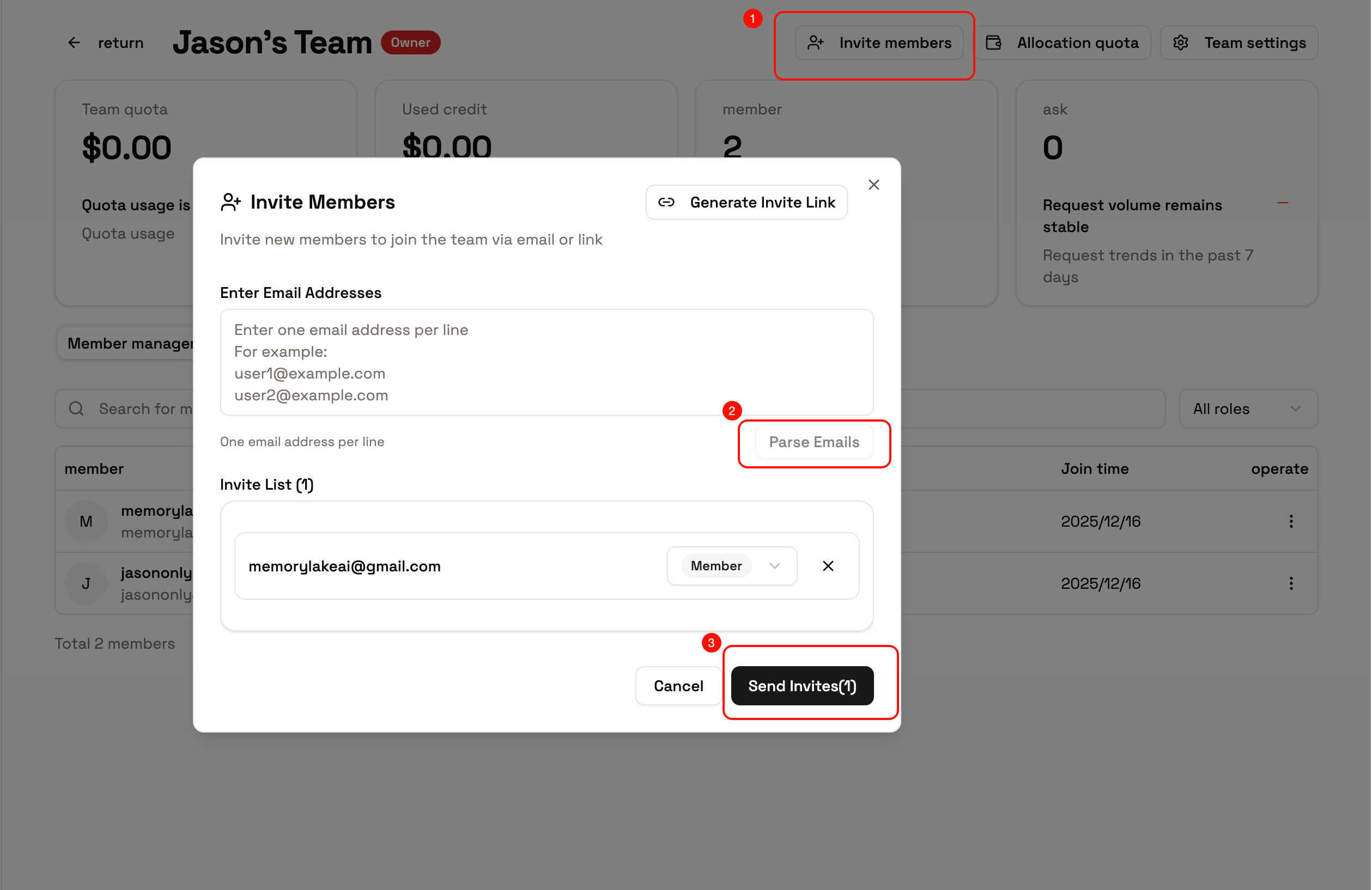
- Email invitation: enter one or more email addresses on the team’s Invites tab. You can paste a batch — one address per line — and specify a role per line. Invitations can be resent or revoked while pending.
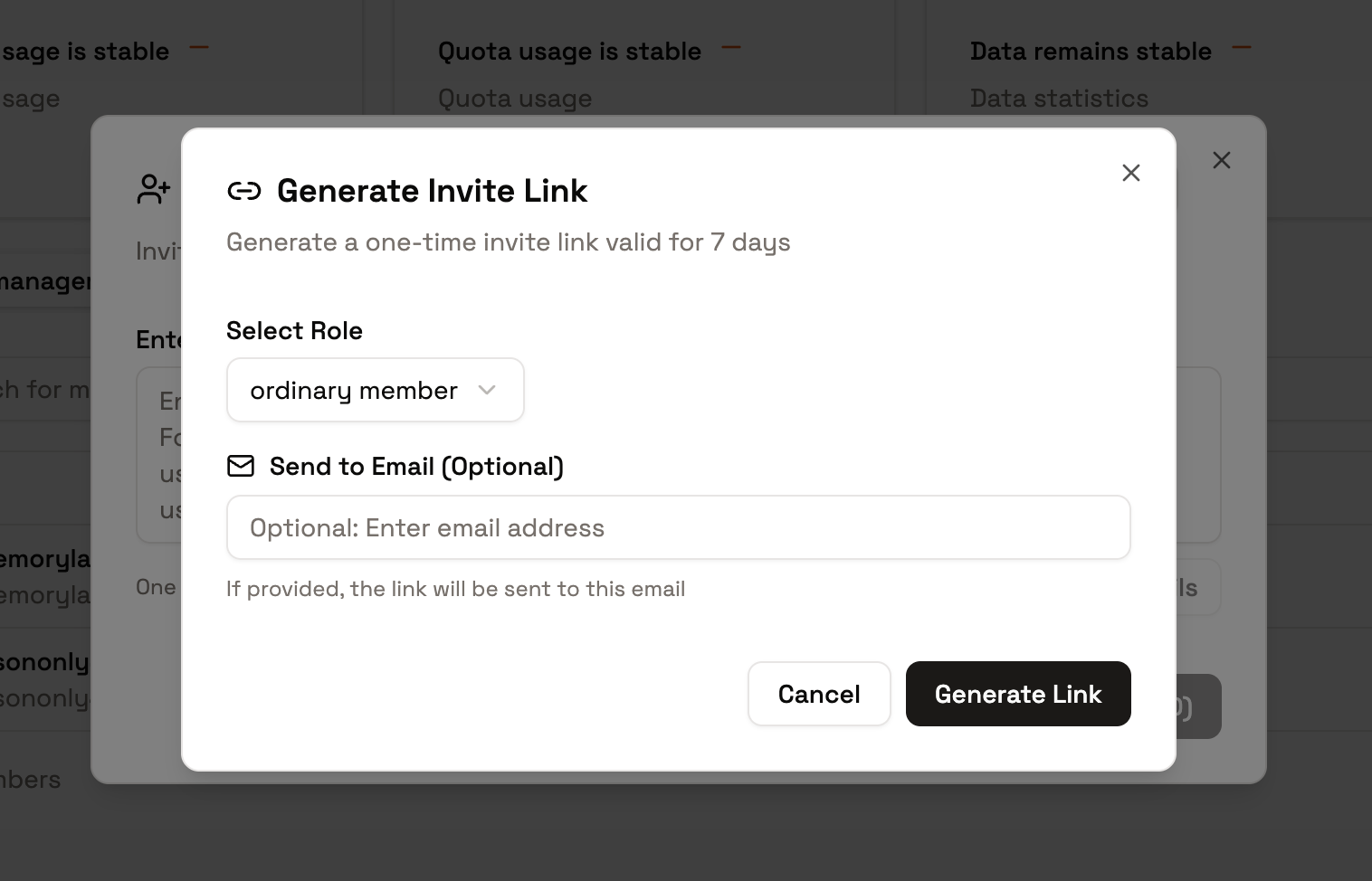
- Invitation link: generate a shareable link. Anyone opening it can accept after signing in (or after completing registration). Revoke the link to invalidate it.
- Invitee experience: accepting after sign-in adds them to the team with the role you assigned. If they open an invite while logged out, they’re returned to it automatically after signing in or registering.
Joining and Access Control
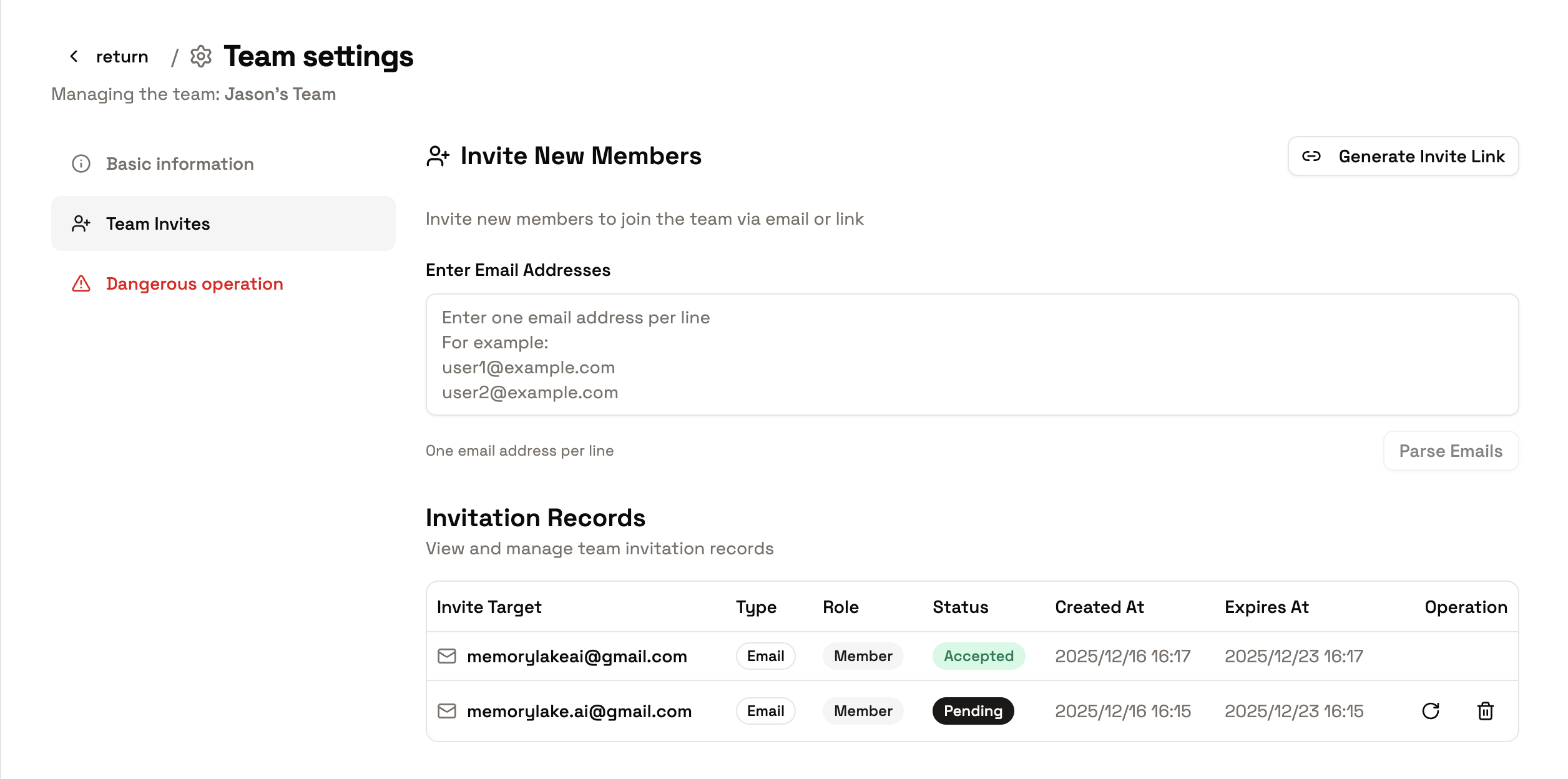
- Before acceptance: pending invitations can be revoked at any time. Wrong address? Revoke and resend — email matching is case- and whitespace-insensitive, so duplicates are caught.
- After acceptance: adjust roles and quotas from the Members tab, grant per-resource scopes, or remove members. Members can also leave voluntarily.
- Workspace access: new members are added to the team’s workspaces automatically, so shared memory is immediately available (deployment-configurable).
- Context and permissions: once in the team, calls made in the team context draw on team quota and follow the member’s role permissions.
Quick Start
- Open team details → Invites, and send an email invitation (or generate a link).
- Assign each invitee’s role as you invite — Owner, Admin, Member, or a custom role.
- Revoke or resend anything still pending as needed.
- After they join, fine-tune quotas and per-resource scopes on the Members tab.
Tips
- Revoked invitations and links are permanently invalid — generate a new one to continue.
- For sensitive teams, prefer email invitations (identity is verified) and revoke links after short-term use.
- Confirm your current space before making calls, so you don’t consume personal quota in a team context or vice versa.
Next Steps
- Roles and Permissions — what each role can do, plus custom roles and resource scopes
- Quotas and Usage — allocate and monitor consumption