

What is an API Key?
An API Key is your authentication credential for accessing Model Router — the samesk-… key that authenticates all of MemoryLake’s programmatic surfaces. Which models a key can call is determined by your account’s model-access group and any per-key model restrictions.
How to Create an API Key
Step 1: Navigate to API Keys
- Log in to the MemoryLake Console
- Click API Keys in the sidebar (or go directly to the API Keys page)
Step 2: Create a New API Key
- Click the create button
- Configure the key:
- Name: for your own reference (e.g., “My Project API Key”), changeable later
- Expiry: Never / 7 days / 30 days (default) / 90 days / 1 year / custom date
- Advanced → Group: the model-access group, shown when your account has more than one
The API Keys page always displays your API base address with a copy button — use it as the base URL in your clients.
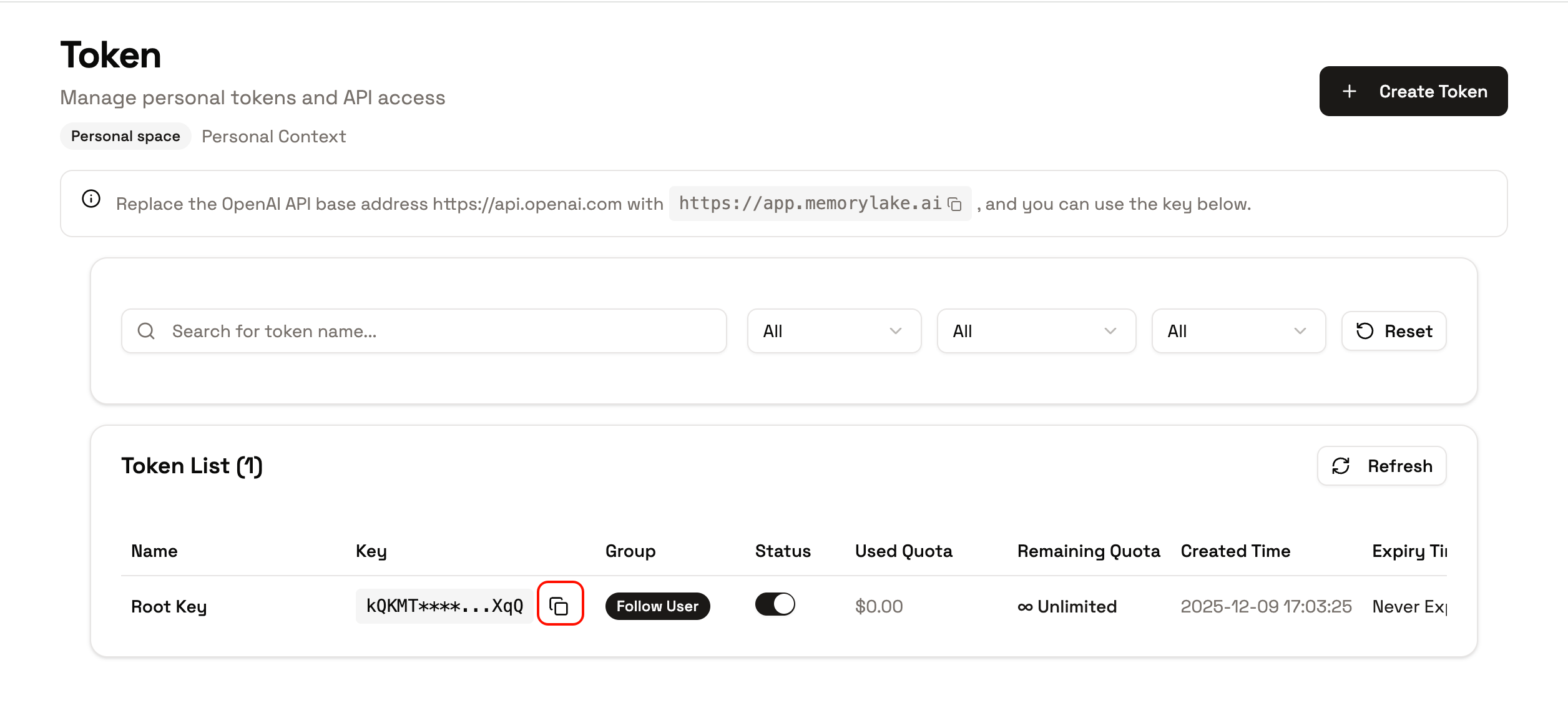
Step 3: Save Your API Key
After creation, the key starting withsk- is revealed once. Copy and store it immediately.
Optional Hardening
From the key’s detail panel you can also set:- Model restrictions — limit which models this key may call
- IP allowlist — restrict usage to known addresses
- Heartbeat — require periodic liveness signals for long-running automation
What’s Next?
- How to Use API Key: different ways to use your key
- List Available Models: see which models your key can access